One-time automatic setup
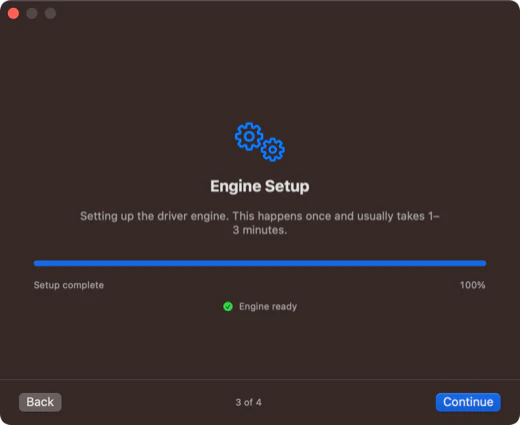
Three short steps — grant Full Disk Access, approve the background service, and the storage engine downloads automatically. It runs once and never repeats.

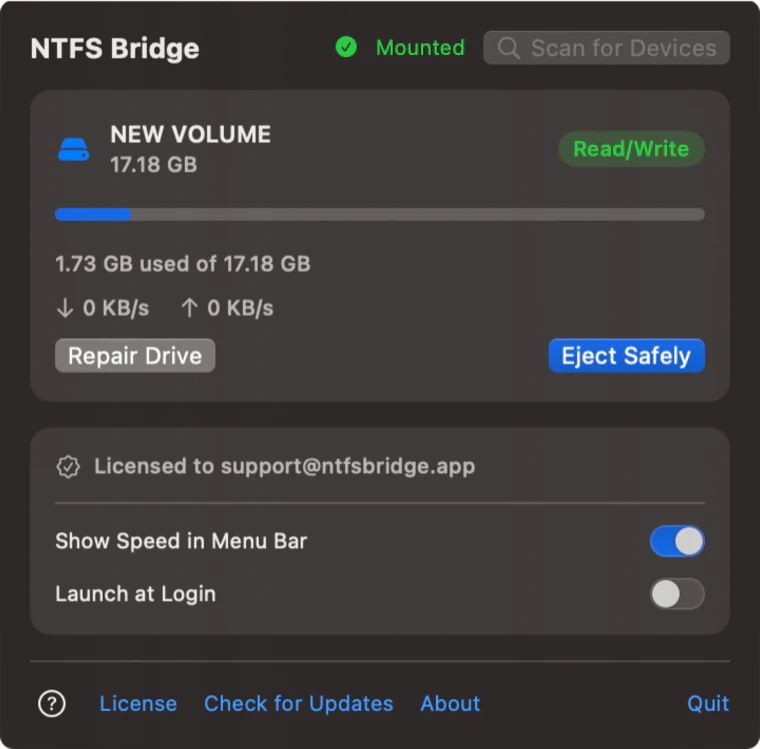
Plug in a Windows-formatted drive and use it like any other disk. NTFS Bridge mounts it read/write in Finder, repairs file-system errors in place, and shows live transfer speed in your menu bar. No kernel extensions, no reboot.
7-day / 10-mount free trial · macOS 13 or later · Apple Silicon · 31 MB
Setup, drive repair, and licensing all happen in clean, native macOS windows — no terminal, no kernel drivers, and no reboot.
Three short steps — grant Full Disk Access, approve the background service, and the storage engine downloads automatically. It runs once and never repeats.
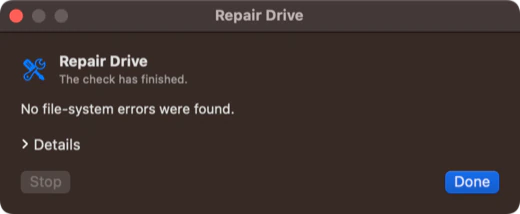
Check and repair NTFS volumes from your Mac with a live log and a clear summary. No PC, no command line.
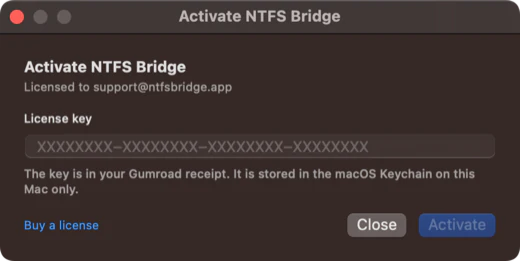
A one-time $19 license unlocks every feature. Your key lives locally in your Mac's Keychain — no account, no subscription, no telemetry.
macOS reads NTFS out of the box but refuses to write to it. NTFS Bridge adds that missing half: full NTFS read/write support and in-place drive repair through an isolated, user-space storage engine — with zero kernel extensions, zero Reduced Security mode, and zero reboot.
Copy, rename, delete and edit files on NTFS drives like on any APFS disk. The volume appears under /Volumes and in the Finder sidebar.
Check and repair an NTFS drive that acts up, right from macOS — with a live log and a clear summary.
Watch live read and write throughput in the menu bar while a copy runs, and switch the readout off whenever you want.
Eject Safely finishes every pending write. Quitting the app ejects too, so a drive never leaves with an unclean NTFS journal.
Native arm64 app and engine. No kernel extension, no system modification, no reboot — just a small background service started on first setup.
No analytics, no telemetry, no account. Your license key stays locally in your Mac's Keychain.
Download, open, and follow the short setup: grant Full Disk Access, enable the background service, and the engine downloads once. Then any NTFS drive you plug in is ready to use.
Homebrew installs and opens it with no security prompt:
brew tap mantfsbridge/homebrew-ntfs-bridge
brew install --cask ntfsbridge
Or open the download manually:
Ventura 13 & Sonoma 14: right-click (or Control-click) NTFS Bridge, choose Open, then confirm Open once more.
Sequoia 15 & later: double-click the app and dismiss the security alert, then go to System Settings → Privacy & Security and click Open Anyway next to NTFS Bridge.
Grant Full Disk Access in System Settings, approve the background service with your password or Touch ID, and let the engine finish downloading. This takes a minute or two and never repeats.
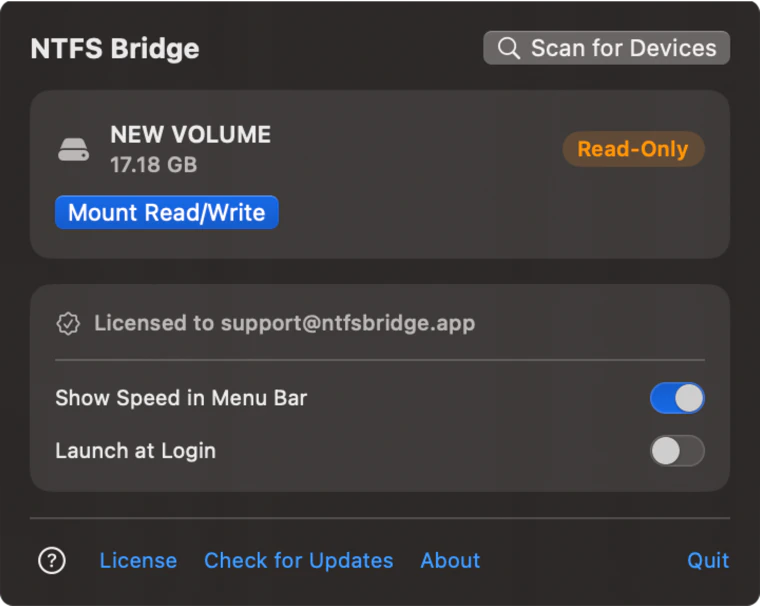
Connect your NTFS drive, open NTFS Bridge from the menu bar, and choose Mount Read/Write. Use Eject Safely before unplugging.
Short answers to what people ask before buying.
macOS only mounts NTFS drives read-only by default. NTFS Bridge runs an isolated storage engine in user space and presents the drive to Finder as read/write, so you can copy, edit, and delete files without turning off System Integrity Protection, lowering security, or rebooting. Install the app, finish the one-time setup, then choose Mount Read/Write from the menu bar.
NTFS Bridge does not install a kernel extension or a reverse-engineered file-system driver. Everything runs in an isolated user-space storage engine, so System Integrity Protection stays on and security settings stay untouched. The engine is not resident: when no drive is mounted it is stopped and uses 0 MB of RAM.
Yes. Drive Repair checks the drive and repairs NTFS file-system errors in place, with a live log so you can follow each step. As with any disk utility, back up important data before repairing.
No. NTFS Bridge supports Apple Silicon Macs (M1, M2, M3, and M4) running macOS 13 Ventura or later. Intel Macs are not supported.
The free trial gives you every feature for 7 days or 10 mounts, whichever comes first. After that, a single $19 license covers one Mac with free 1.x updates. There is no subscription and no per-drive fee. The license key arrives by email and activates instantly in the app.
Every feature is unlocked during the trial, whichever comes first. After that, a single $19 license covers your Mac for good — no subscription, no per-drive fee, free updates.
License keys arrive by email and activate instantly in the app.